No items found.


The ticketing system built into ChatGenie. When the AI hands a conversation to your team, the ticket arrives with the full context, a clear owner and an SLA clock — and your customer stays updated automatically.
When a conversation needs a person, most teams copy it into a separate helpdesk by hand. Context gets lost, nobody owns it, and managers can't see what's stuck.

Agents scroll back through chats, and customers repeat themselves.

Escalations sit in an inbox with no assignee, priority or deadline.

An AI tool on one bill, a helpdesk seat for every agent on another.

The ChatGenie AI agent answers on your channels, around the clock.

When a person is needed, a ticket is created automatically, with priority set.

Summary, recent messages and attachments are already on the ticket.

Status changes are sent back to the customer in chat, automatically.
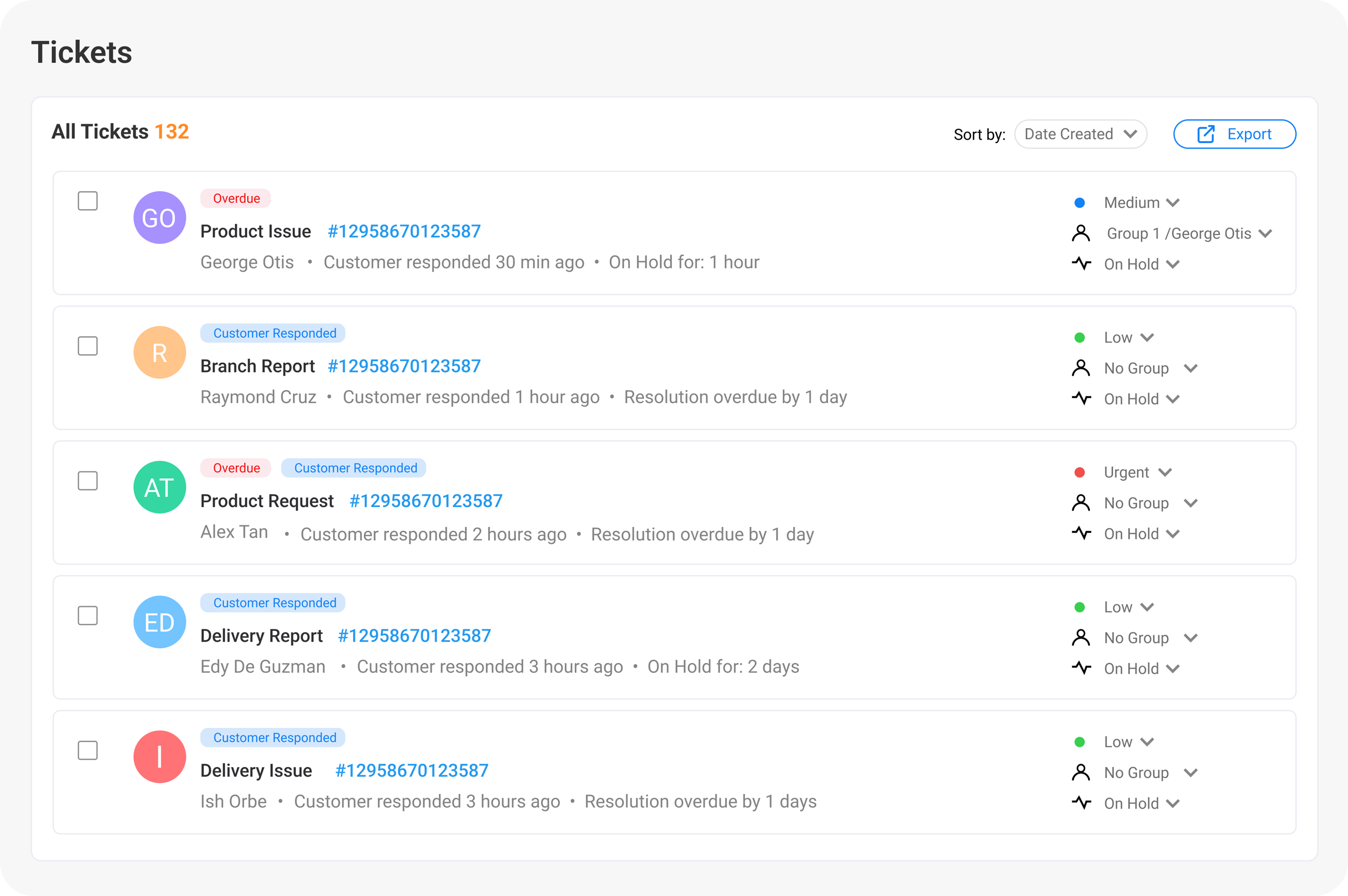
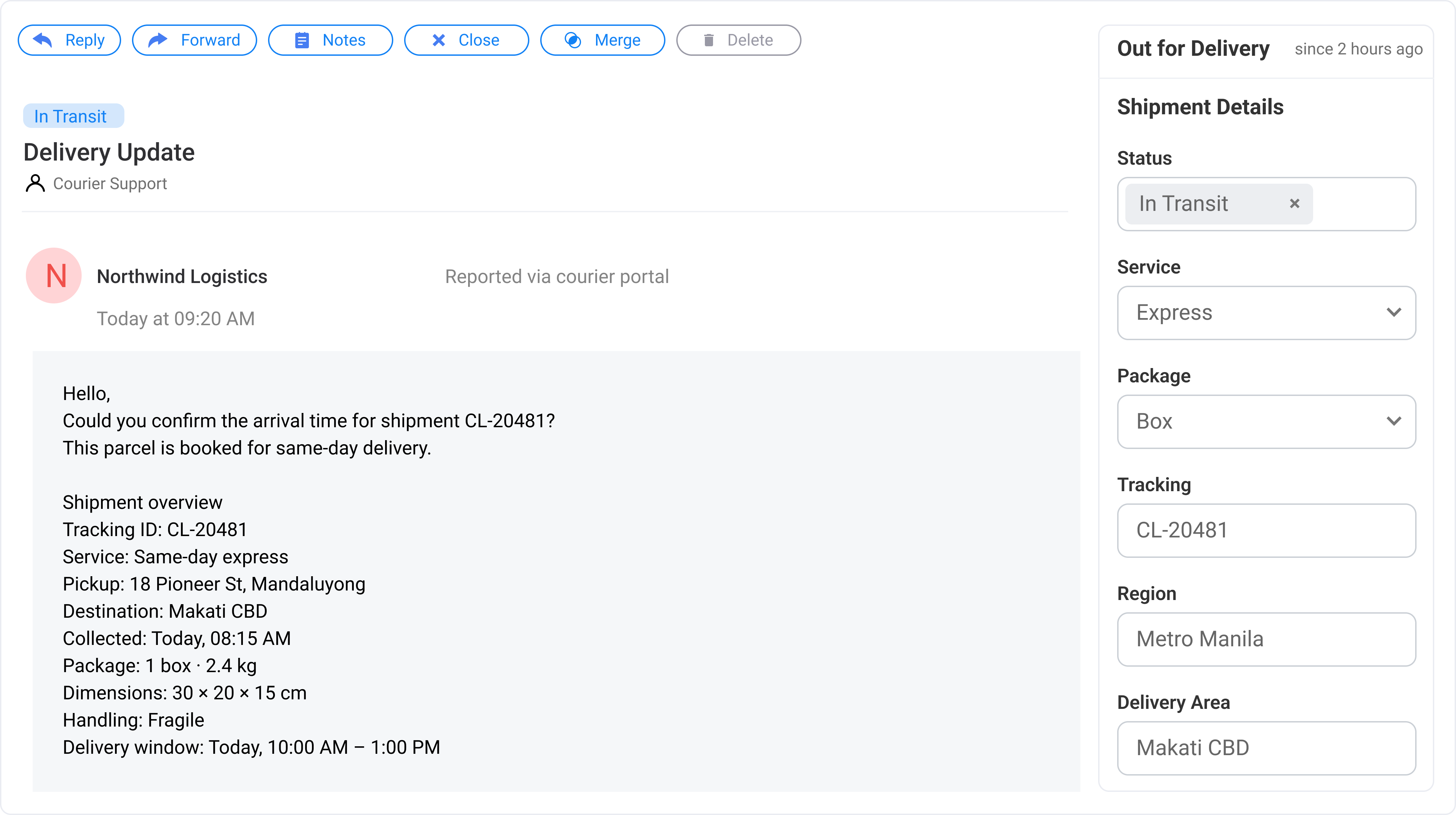
The queue, the full ticket and the SLA clock side by side, so agents never switch tabs to understand a case.
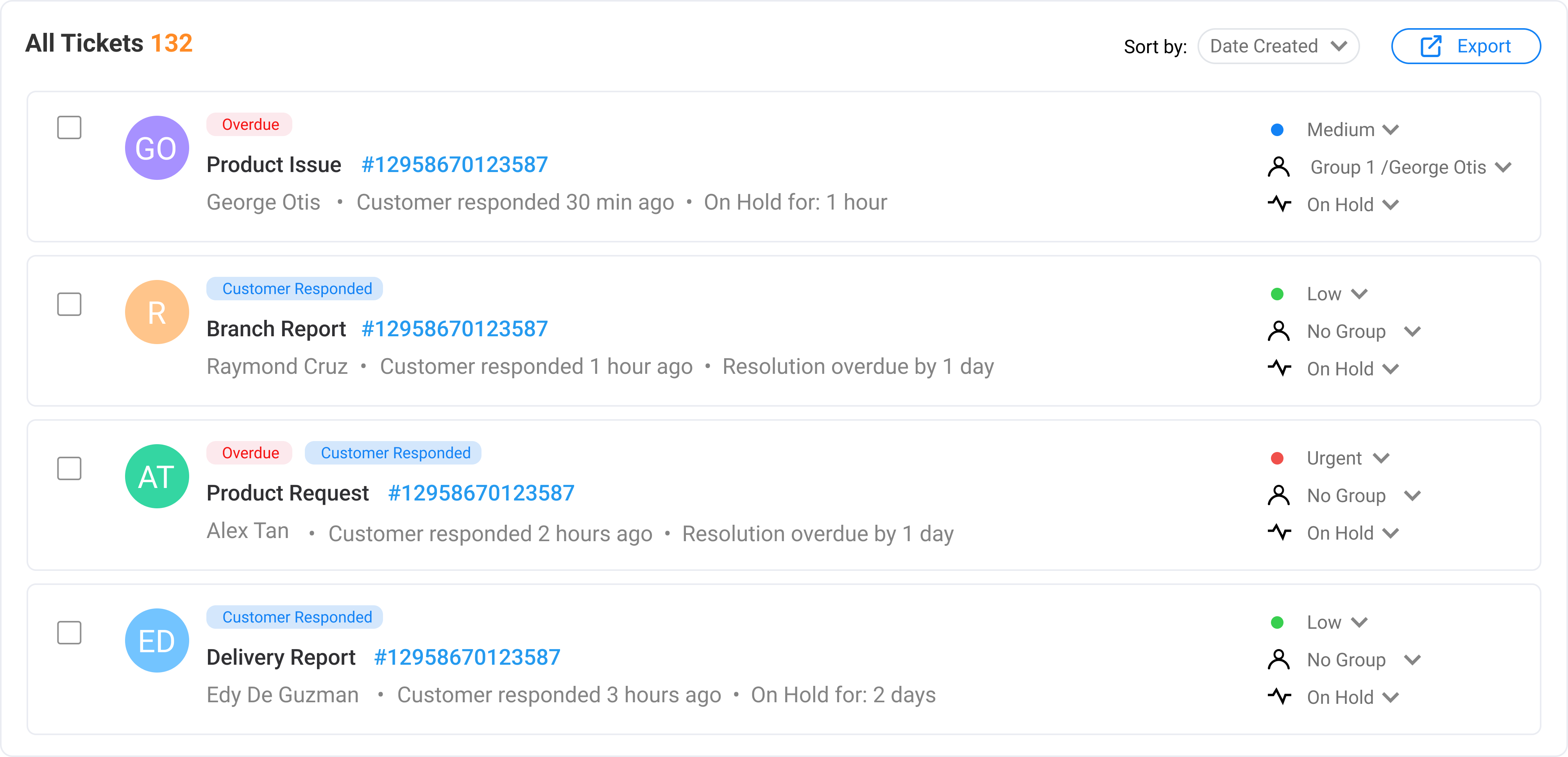
Everything updates live, so agents and supervisors always see the same picture.

Filter by agent, group, status and priority. Overdue tickets stand out.

Route tickets to an agent or a team. Agents can filter to their own groups.

First-response and resolution targets per priority, with live countdowns and at-risk flags.

Unresolved, overdue, due today, unassigned and average first response time.
Reply by email with delivery tracking, or leave notes only your team can see.

Eight statuses from New to Closed, four priority levels and free-form tags.

Customers submit tickets, track their status and reply, in one place.

Admins and agents, email invites, and instant deactivation when someone leaves.
A standalone helpdesk only sees what lands in its inbox. ChatGenie TMS sees the whole conversation that came before.

ChatGenie TMS is built into ChatGenie, so there's no connector to build and no integration project to pay for. Turn it on and escalations start flowing as tickets.

Help articles for your customer portal are generated automatically from the FAQs you've uploaded to ChatGenie. No writing a help center from scratch.

Every escalated ticket carries the AI's summary, the latest messages, the customer's attachments and a link back to the conversation.
With ChatGenie on the front line, a leading Philippine ride-hailing platform handled the same ticket volume with a fraction of the team.

ChatGenie is certified for information security management.

Each company's tickets are fully isolated, and customers only ever see their own.

Internal notes, SLAs and settings are never visible to customers.

Repeated failed logins are blocked, and keys are stored encrypted.
Everything updates live, so agents and supervisors always see the same picture.

Agent seats are included in one bundle price, and because the AI resolves routine questions, your team needs far fewer seats to begin with. No more paying per seat on top of an AI subscription.
No. ChatGenie TMS is natively integrated with ChatGenie, so there's nothing to build or connect. Your self-service help articles are generated from the FAQs you've already uploaded to ChatGenie.
No. The TMS works on its own, with tickets from your agents and the customer portal. Pairing it with ChatGenie AI adds automatic escalations from chat and status updates to your customers.
Yes. We plan the switch with your team and can run alongside your current helpdesk until your agents are settled.
A seat is one active admin or agent. Deactivated users don't count, and their tickets stay assigned for history.
Book a demo and we'll walk through how ChatGenie would handle your top customer questions.


